
|
|||
|


 |
|
 |
|

| Home |
| About |
| Hobbies |
| Software |
| Hardware |
| ICT Hotlist |
| Purpose |
React:


ICT-Hotlist Topic
 Back to the ICT-Hotlist...
Microsoft Windows Attack Surface Analyzer
The, as always great, Petri Insider Newsletter by Petri.com pointed me to the Microsoft Windows Attack Surface Analyzer.Attack Surface Analyzer is developed by Microsoft's Trustworthy Computing Security group. It is the same tool used by Microsoft's internal product groups to catalogue changes made to operating system attack surface by the installation of new software. Attack Surface Analyzer takes a snapshot of your system state before and after the installation of product(s) and displays the changes to a number of key elements of the Windows attack surface. This tool allows:
- Developers to view changes in the attack surface resulting from the introduction of their code on to the Windows platform
- IT Professionals to assess the aggregate Attack Surface change by the installation of an organization's line of business applications
- IT Security Auditors evaluate the risk of a particular piece of software installed on the Windows platform during threat risk reviews
- IT Security Incident Responders to gain a better understanding of the state of a systems security during investigations (if a baseline scan was taken of the system during the deployment phase)
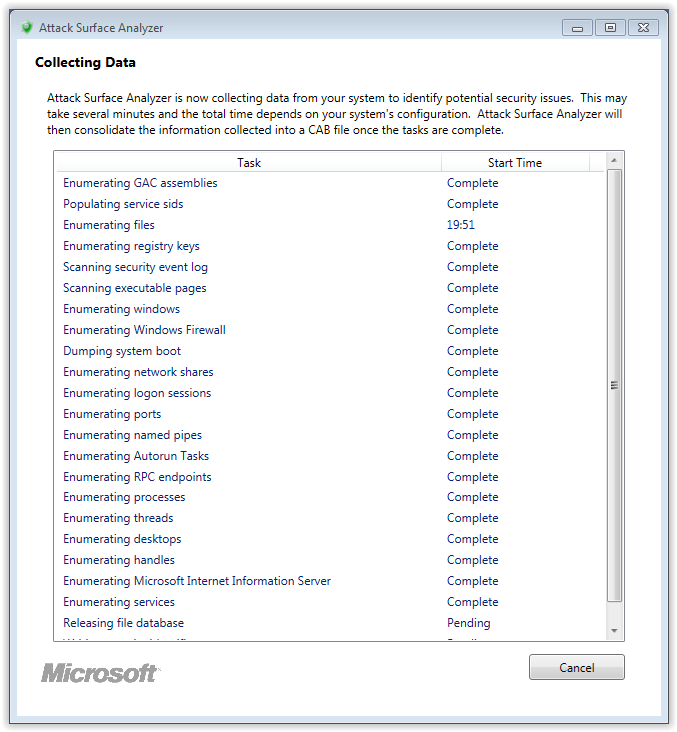
Running the system scan
Reporting after installation
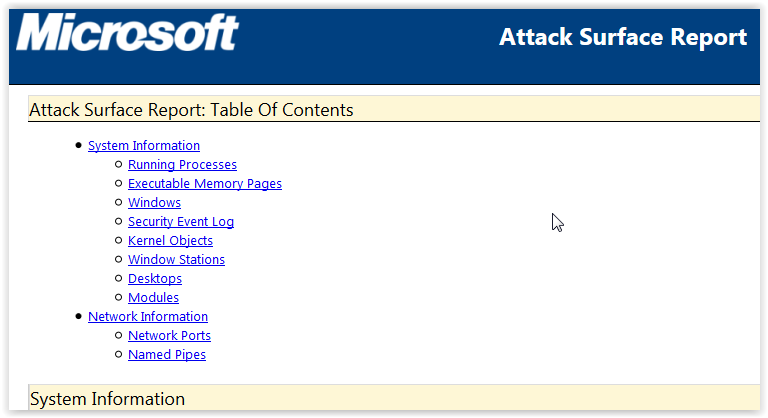
When you start the program after installation and run the Attack Surface Analyzer, the reporting gives you a html page containing information about:Attack Surface Report:
Table Of Contents
-
System Information
- Running Processes
- Executable Memory Pages
- Windows
- Security Event Log
- Kernel Objects
- Window Stations
- Desktops
- Modules
-
Network Information
- Network Ports
- Named Pipes
Download
You can download the Attack Surface Analyzer and the extensive documentation of the Linux, Mac OS X, Windows 10 version can be found here.
You may vote your opinion about this article:

Scripts and programming examples disclaimer
Unless stated otherwise, the script sources and programming examples provided are copyrighted freeware. You may modify them, as long as a reference to the original code and hyperlink to the source page is included in the modified code and documentation. However, it is not allowed to publish (copies of) scripts and programming examples on your own site, blog, vlog, or distribute them on paper or any other medium, without prior written consent.Many of the techniques used in these scripts, including but not limited to modifying the registry or system files and settings, impose a risk of rendering the Operating System inoperable and loss of data. Make sure you have verified full backups and the associated restore software available before running any script or programming example. Use these scripts and programming examples entirely at your own risk. All liability claims against the author in relation to material or non-material losses caused by the use, misuse or non-use of the information provided, or the use of incorrect or incomplete information, are excluded. All content is subject to change and provided without obligation.